

Stop Losing Hours to Manual Incident Reports
Post on
December 16, 2025 •
By
TrackTik
In many enterprise security operations, incident reporting remains a stubbornly manual process. Guards jot down notes, dispatchers or supervisors transcribe them, and administrators re-enter data into spreadsheets or disconnected systems. It’s not just tedious, it’s costly. The delays, errors, and gaps introduced by manual incident reporting expose organizations to risk, inefficiency, and even compliance liability.
If that sounds familiar, you’re not alone. But there’s a better way: modernizing incident reporting workflows through automation and AI can dramatically reduce administrative burden and raise the standard of reporting—without sacrificing accuracy or accountability.
Why Manual Incident Reporting Is a Hidden Liability
1. Time Lost, Every Single Shift
When guards have to stop what they’re doing, write (or type) incident notes, then manually relay them to someone else, hours are lost every week. For large security teams or organizations with multiple sites, this adds up fast. Supervisors spend part of every shift reviewing, clarifying, and consolidating reports. Back-office teams then rekey the data, send follow-up questions, and route reports to relevant stakeholders.
2. Inconsistent Quality and Clarity
Manual reports can vary wildly in their quality. One guard may write in shorthand; another may be more verbose; some may skip details entirely. When reports arrive back-office, they often need revision. Important context may be missing, which can hamper investigations, client communications, or internal audits.
3. Error Prone Transcription & Duplication
Transcribing handwritten notes into digital systems risks mistakes. Misspellings, missing fields, or misunderstood context can introduce inaccuracy. If multiple systems are involved (e.g., one for patrol, another for incident logging, another for analytics), data ends up duplicated or inconsistent—making reconciliation a nightmare.
4. Poor Visibility & Trend Analysis
When incident data resides in silos—paper forms, disparate databases, or spreadsheets—security leaders lack a unified picture of risk. Trends are harder to detect. Without consistent reporting, you’re flying blind when it comes to proactive risk mitigation or resource allocation.
5. Compliance and Audit Exposure
Regulated environments or contracts with strict service-level agreements (SLAs) demand defensible, traceable incident records. Manual reporting makes it harder to maintain audit trails, verify what was documented when, and ensure that reports meet the level of detail required by clients or regulators.
How Automation (and AI) Solves These Problems — The TrackTik Example
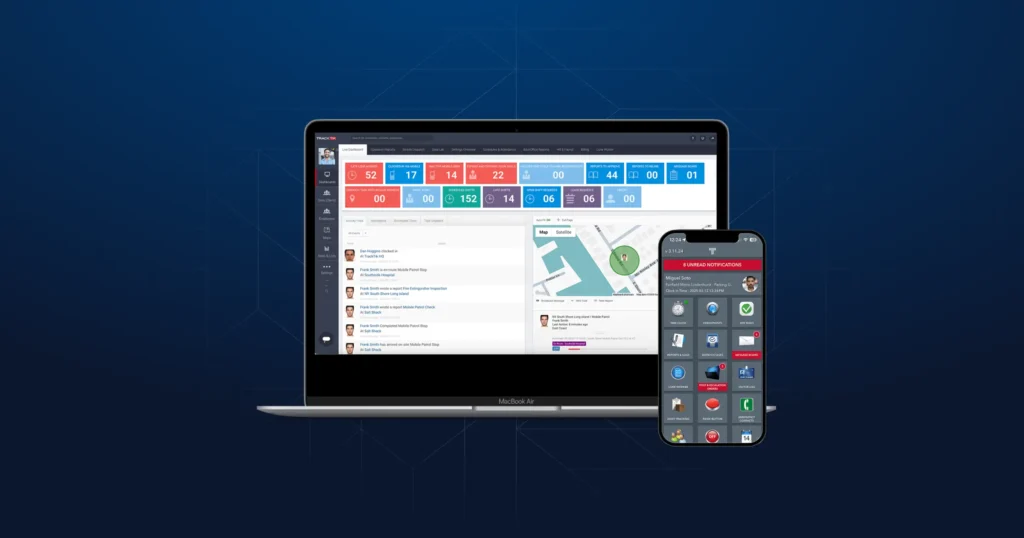
Platforms like TrackTik, part of the Trackforce suite, are specifically designed to automate and standardize incident reporting. By replacing manual workflows with digital, structured processes, security teams can reduce risk, improve transparency, and free up precious time.
Here’s how.
Structured, Customizable Incident Templates
TrackTik’s incident module supports dynamic, customizable templates. Rather than relying on free-form notes, guards can select incident categories, sub-types, severity levels, and even upload photos or other multimedia. This standardization ensures that critical information isn’t missed, and that reports are consistent across sites.
Real-Time Data Capture & Dispatch Integration
Because incident reporting lives directly in the mobile app or portal, guards can submit structured reports immediately — no more handwriting, no more second-step transcription. That data flows in real time into the system, allowing supervisors to triage incidents, dispatch responders, and escalate as needed.
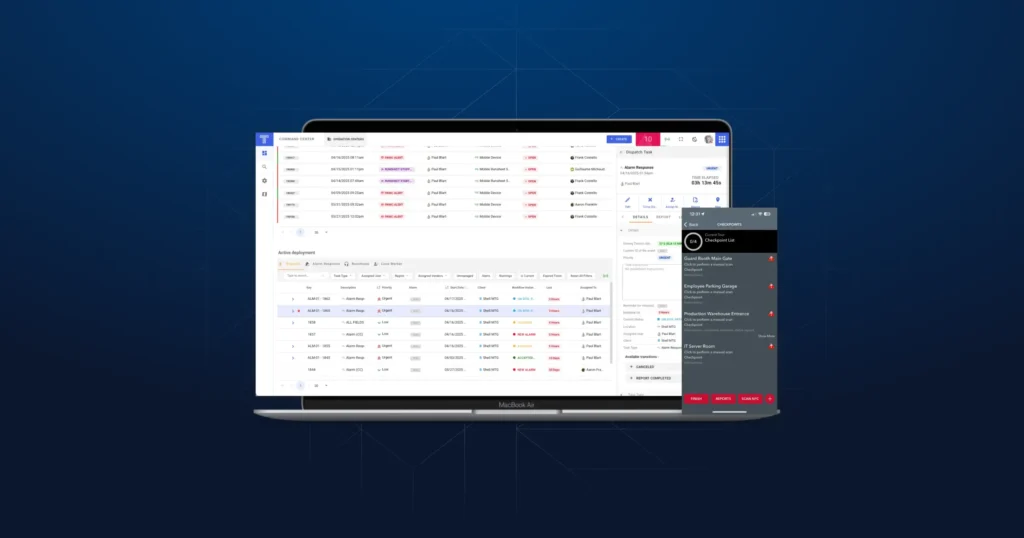
When combined with TrackTik’s Command Center for incident management, teams gain centralized visibility and can coordinate response seamlessly.
Automated Report Enhancement with ReportPro AI
One of the most powerful innovations is ReportPro AI, a real-time AI-powered assistant that improves report quality on the fly. Here’s what it does:
- Guards input their rough notes, then hit “AI Enhance.” The tool proposes clearer, more polished, compliant text.
- Supervisors can generate executive summaries instantly for full, AI-crafted overviews that highlight critical points and simplify triage.
- Every AI-driven change is logged. The system keeps both original and enhanced versions side-by-side, so audit trails remain intact and transparent.
- The system also clearly labels AI-enhanced text so users know what was edited by the model.
- Permissions are finely managed: only users with specific roles can apply AI enhancement or view the audit log.
This is not “AI replacing human reporting”; it’s AI assisting humans to write better, faster, and more consistently — all while preserving accountability.
Audit-Ready Trails for Compliance
Because every change made by AI is logged, compliance teams and quality control functions can review not just the final version of a report, but how it evolved. This provides a defensible, transparent audit trail which is essential for regulated environments or contract-heavy security operations.
Workflow Efficiency & Reduced Administrative Load
By automating note enhancement, summarization, and routing, TrackTik significantly reduces administrative workload:
- Guards spend less time polishing their reports.
- Supervisors no longer need to rewrite or summarize manually.
- Back-office staff don’t need to convert free-form text into structured data.
- Compliance, risk, and quality teams can rely on consistent, high-integrity data.
The result: more efficient operations, fewer data errors, and faster incident resolution.
The Business Impact of Moving Away from Manual Reporting
- Time savings: Automating report polishing and summarization saves hours weekly per guard and supervisor.
- Consistency & professionalism: Reports become more uniform, professional, and compliant with internal or external standards.
- Transparency: With AI audit logs, leadership and compliance teams get full context on how reports were edited, who changed what, and when.
- Risk reduction: Structured, accurate reports reduce the likelihood of missing critical incident details — improving investigative readiness and response.
- Scalability: As your security program grows, automated reporting scales without linearly increasing administrative burden.
Getting Started: How to Roll Out Automated Incident Reporting
- Map your current incident workflow
Understand how guards currently report incidents, how reports are reviewed, and where data is stored.
- Configure templates
Design incident templates in TrackTik (or your chosen tool) that match your operational needs — category, sub-type, photos, severity, etc.
- Enable ReportPro AI
Activate AI enhancement in your system (via portal settings) and assign permissions for who can use/approve it.
- Train guards and supervisors
Show them how to write notes, enhance with AI, and review summaries. Emphasize how this saves time and makes their work more impactful.
- Audit & iterate
Use the AI change logs to monitor how reports evolve. Identify patterns where AI is frequently making changes and refine templates or guidance accordingly.
- Measure impact
Track metrics such as time saved per report, number of AI-enhanced reports, error rates, and compliance outcomes over time.
The High Cost of Manual Incident Reporting and How Automation Fixes It
The hidden cost of manual incident reporting is more than just wasted hours: it’s a risk to accuracy, compliance, and operational clarity. By adopting a modern, automated approach with a solution like TrackTik and leveraging AI-powered tools like ReportPro AI, security teams can standardize reporting, improve quality, and free up valuable time.
The future of security operations doesn’t just mean “more data.” It means better data — captured faster, processed smarter, and audited with confidence. If your team is still relying on manual in
Frequently Asked Questions
Featured Articles
Insights and advice from Spear faculty and industry experts